Realistic Piercing Rendering
Photorealistic metal jewelry with accurate reflections.
// GEN AI · TRY FREE · NO CARD
Add realistic body piercings with accurate metal detail.
Generate photorealistic body piercings on any photo. Accurate metal jewelry, proper placement, and realistic skin interaction.
Free to try. No credit card required for any tool.
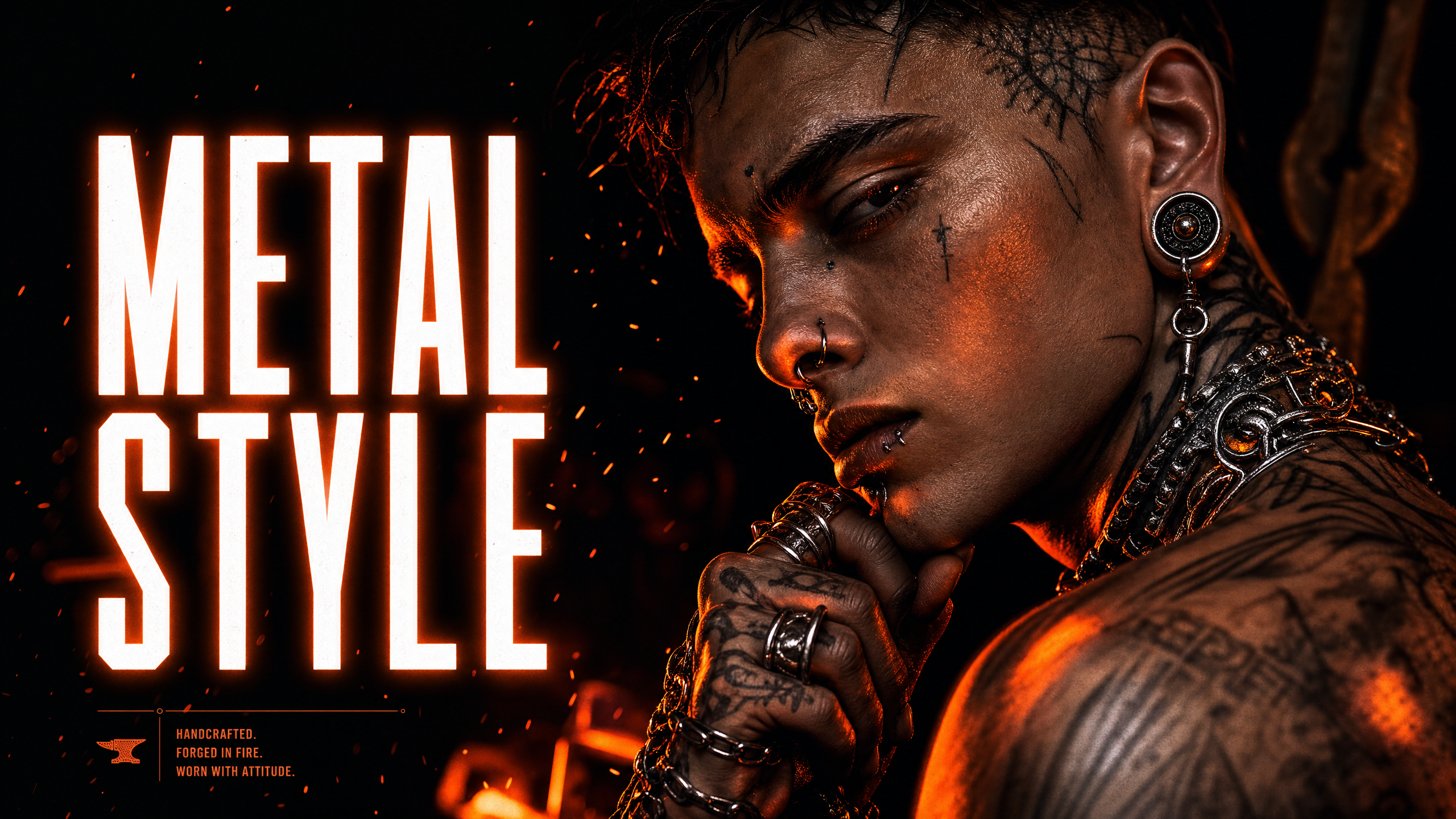
The Piercing style adds photorealistic body piercings to your image. The AI generates accurate metal jewelry — rings, barbells, and studs — with proper placement, realistic metal reflections, and natural skin interaction. Great for visualizing piercing placements or adding body jewelry to existing photos.
Photorealistic metal jewelry with accurate reflections.
Rings, barbells, studs, and more.
Piercings placed naturally on the body.
Metal reflections match the original image's light source.
Standard quality for speed, High quality for maximum metal detail.
Optimized for the Phlegethon bypass pipeline.
Visualize piercing placements on client photos before the appointment.
Add body jewelry to characters and personas for content.
Add piercings to portrait and lifestyle photos.
Create pierced character designs and references.
Upload a JPG, PNG, or WebP up to 20MB.
Standard quality for speed, High quality for maximum metal detail.
Processing takes 15–30 seconds.
Download your result, then send it through the Forge.
| Feature | Phlegethon | Studio Consultation |
|---|---|---|
| Visualization quality | Photorealistic AI rendering | Rough sketches or basic overlays |
| Jewelry types | Rings, barbells, studs — auto-generated | Limited to studio stock |
| Placement accuracy | Natural body-aware placement | Manual estimation |
| Cost | free to try (~–1) | Free consultation but requires visit |
| Bypass-ready output | Yes — forge pipeline integrated | No bypass capability |
| Time to result | ~20 seconds | Appointment required |
Try free — no credit card required. Uncensored where the product allows. 18+ only.
Start Free →